If you have an Anima account, you can submit Appointment Requests or Admin queries
For non-urgent issues which will be triaged within the next 7 days, request an appointment or ask a question using Anima.


The fastest way to get the care you need
Submit a medical or admin request and get the help you need without waiting on a call for an appointment.
Submit a requestIf you have an urgent medical need where you feel you need to be seen today or next working day, please phone us on 01753 520 917 and our reception staff will do our best to help you. We’ll still need to ask you some questions to help the GP.
Please use Anima for non-urgent requests. This helps keep the phone lines free for people who can’t do things online. This includes those who are frail, have learning disabilities, or don’t have access to a modern mobile phone or the internet at home.
Most patients can complete the form in their preferred language. You will be asked the same questions whether you fill them in online or call us. All requests go into the same queue to be reviewed by a GP.
Our reception team wants to help you. They will ask what is wrong to fill in the same Anima form. Your answers help the GP pick the best person to care for you. If you don’t give enough information, we won’t be able to prioritise the appointment and you may wait longer.
For some conditions, a pharmacy can see you more quickly and if suitable we will direct you there. Before you ask for an appointment, please check if you have one of the conditions suitable for Pharmacy First. These pharmacies could see you and issue prescription medicine if needed without seeing a GP first.
For repeat prescription requests, please use the NHS App. If the medication you need isn’t listed in your NHS App, you can submit an Anima admin request.
Anima is an online platform (website) that helps you contact your GP practice and get care quickly.
Instead of calling us, you can submit a request online whenever we are open and you need help.
Please use Anima for your non-urgent requests.
This helps keep the phone lines free for people who genuinely can’t do things online. This includes those who are frail, have learning disabilities, or don’t have access to a modern mobile phone or the internet at home.
Why is this needed?
More patients now live with complex medical conditions and GPs must prioritise care to those who need it most. This process is called triage. Farnham Road Medical Group has used triage for years but with more demand, we need a bit more information from patients. Anima helps us to get that information.
Nearly all requests for appointments are reviewed by one of our GPs. The information you give us helps the GP decide:
- Which patients should be seen first
- Which clinical team member or other service should see them
- How quickly should this happen
What about my data?
Anima is approved by the NHS and works directly with Farnham Road Medical Group. Your data is only used to help your GPs provide you with care, and all agreements follow NHS rules and privacy standards.
Is it free?
Yes, Anima is completely free for patients.
To sign up, you’ll need:
- a mobile phone or computer,
- an individual email address (one that is only used by you)
- a mobile number. (You can just use email if you don’t have a mobile number)
You can also sign up with your NHS Account details. This is the same username and password you use to access the NHS App on the website or your mobile phone.
If you don’t have any of these, the Farnham Road team can fill in a request for you.
Please note that our GPs need enough information to prioritise the request so be prepared to answer the questions from the Patient Services Team.
How it works
- Register – Create your account in a few minutes. It gives you a dashboard to track your requests and messages.
- Submit – Send a request to your practice from your phone or computer (it only takes 2–5 minutes).
- Practice review – A healthcare professional reviews your request and replies. You’ll get updates by email or text message (SMS).
Getting started
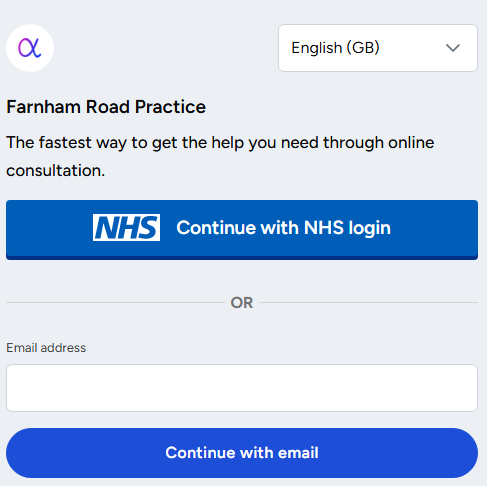
You can create an account to begin. If you already have an account, you can log in here.
Anima can be translated into a few languages to help users. This includes Albanian, Bengali, Hindi, Lithuanian, Polish, Punjabi, Romanian, Russian and Urdu.
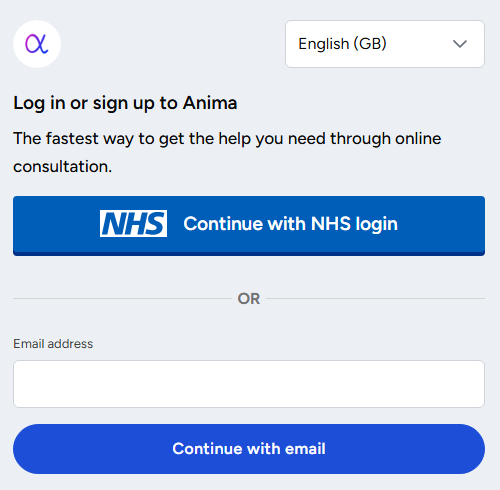
If you already have an NHS login (that you use for the NHS App), it is a lot easier to use that to verify your identity and create an Anima account. If you don’t have an NHS login, put in your email address.
Everyone who has an NHS login or an Anima account must have their own email address as it is part of your individual login. Anima and the NHS account/app may also use secure email to message users with responses from the practice.
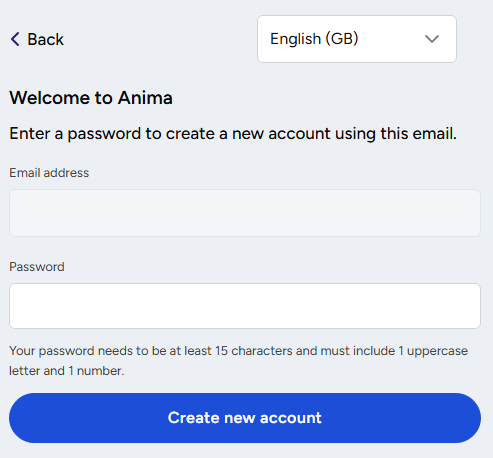
Put in a password you’ll remember, or use a reliable password manager.
You’ll get this screen:
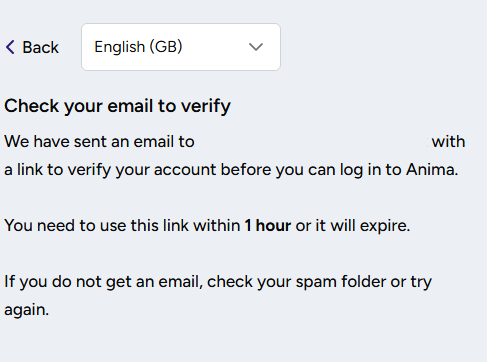
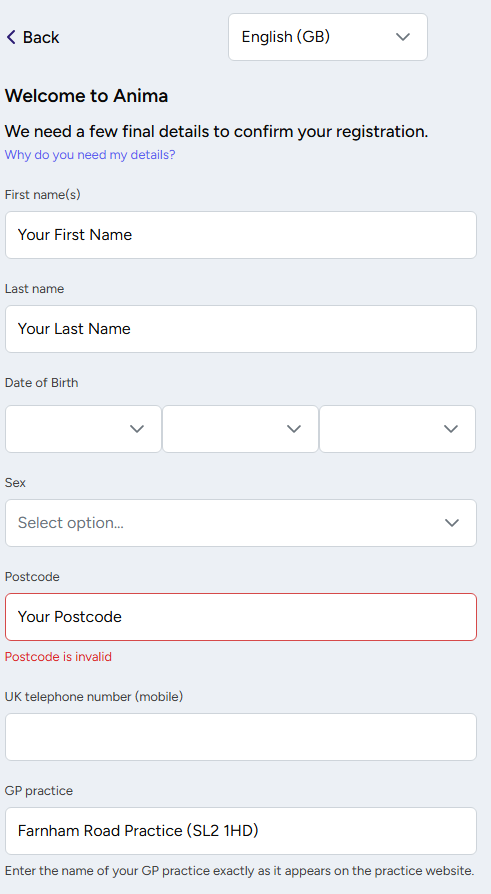
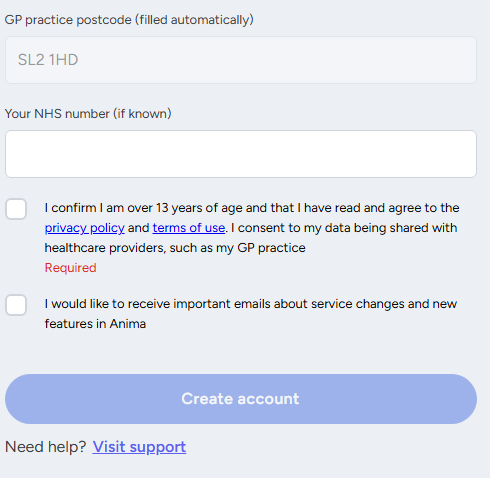
You’ll be asked to fill in some more details to register your account with Anima. (If you use the NHS login most of these details can be filled in for you).
Troubleshooting & Frequently Asked Questions
Forgotten password
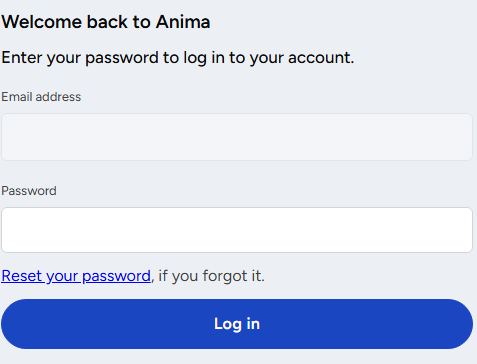
Open the same link and put in your email address as the login. If you have forgotten your password, click the “Reset your password” link.
If you need more help: